The frustrating thing about a big DJ library is that it can make you feel like you have less music, not more.
You know there are strong tracks in there. You know some of them belong together. But when the set starts with one reference track and a vague mood, list-based digging can turn into guesswork very quickly.
Stop asking folders to solve a listening problem
Folders, crates, and playlists are useful. But they are storage systems first.
They are not always the best way to answer questions like:
- what sits next to this track emotionally?
- what has similar energy without sounding repetitive?
- what did I forget that would suddenly make this set click?
That is why discovery gets harder as the collection grows. The library becomes organized enough to store, but not necessarily easy to hear.
Start from one anchor track
The fastest way to build momentum is to begin with one track you trust.
That anchor track gives you something concrete to react to. Instead of searching the entire library at once, you are only asking one useful question: what belongs around this?
From there, the job becomes smaller and more musical.
Build a shortlist, not a final set
A lot of DJs create unnecessary friction by trying to finalize too early.
At the beginning, do not worry about perfect order. Do not worry about export. Do not even worry about whether every track will survive the final cut.
Build a shortlist first.
That means:
- collecting tracks that genuinely belong in the same space
- keeping near-misses visible without committing to them
- letting the set become clearer before you lock anything down
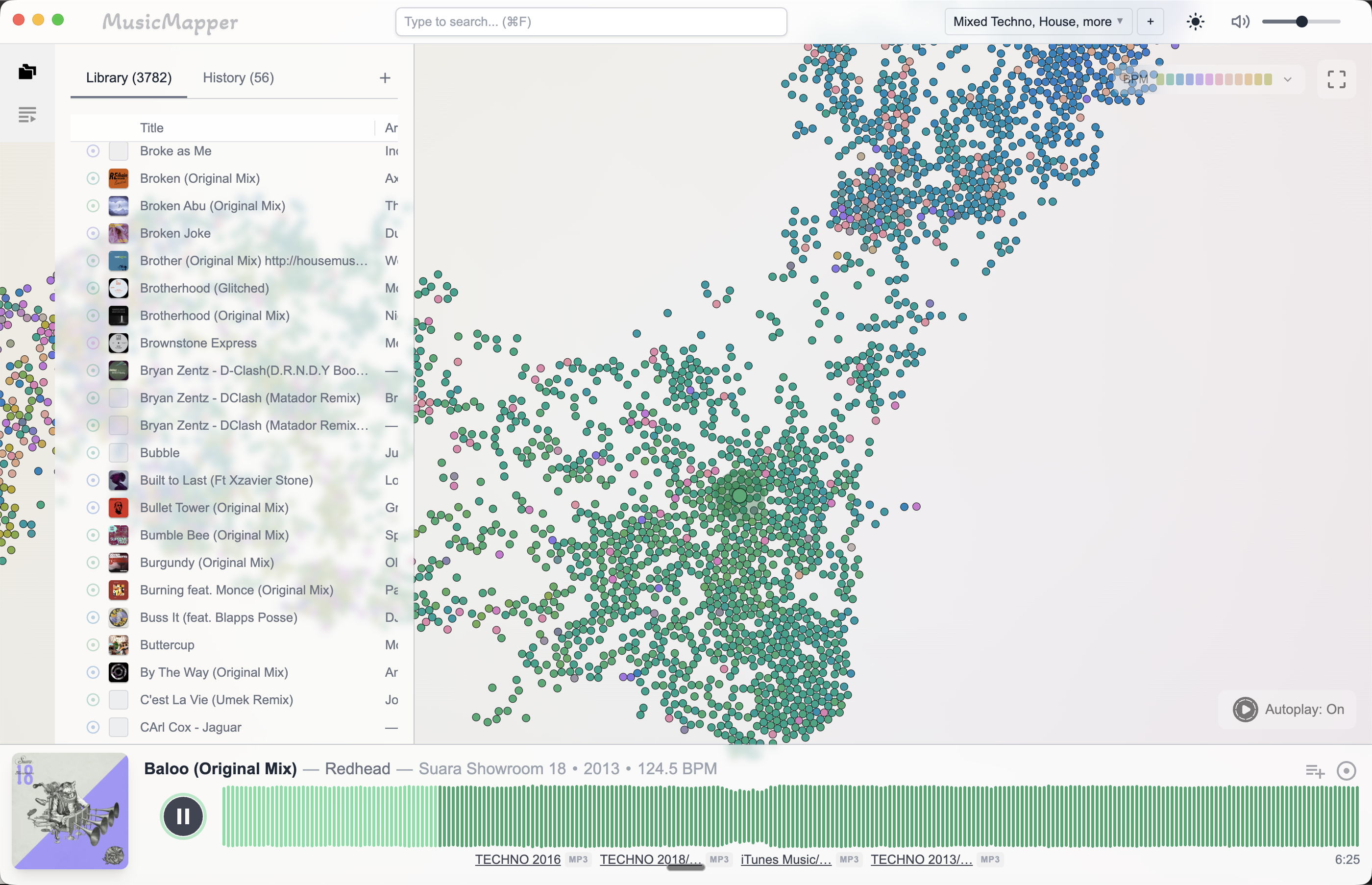
Use comparison, not memory alone
One reason DJs get stuck is that memory becomes the main search tool.
That works when the library is small. It breaks down when you have years of music and several possible directions for the set.
A better approach is to compare what you are hearing in the moment. That is where a discovery-first tool becomes useful: it shortens the distance between "I know something is in here" and "here are three strong candidates."
Only move into playlist order later
Once the shortlist is strong, then you can switch into arrangement and export mode.
For DJs who already use Rekordbox, that usually means handing the shortlist forward into a Rekordbox workflow. For other DJs, it may simply mean exporting the playlist and tightening the order from there.
Final takeaway
Finding matching tracks in a large local library gets easier when you separate discovery from final preparation.
First, explore and compare. Then shortlist. Then organize and export.
If you want to see how that applies to a full prep session, read How to prepare a DJ set from your local collection. If you want the companion-tool angle, read MusicMapper vs Rekordbox for DJ set preparation.
Explore MusicMapper
See how the workflow looks on your own music library.
MusicMapper helps you explore a local collection as a visual map, preview similar tracks quickly, and build playlists for sharper set preparation.
Frequently asked questions
Why does finding tracks get harder as the library grows?
Because memory, folders, and old playlists stop surfacing the best options consistently. The music is still there, but the path to it gets slower and less reliable.
Keep Reading
Related articles
Guide
How to Prepare a DJ Set From Your Local Collection
The easiest way to prepare a stronger DJ set from your local collection is to split the work into two stages. First, discover and shortlist. Then organize and finalize. Most DJs create friction when they try to do both jobs at the same time.
Guide
How MusicMapper Fits Into a Rekordbox Workflow
MusicMapper works best before Rekordbox, not instead of it. Use MusicMapper to find matching tracks and shape the shortlist, then move that playlist into Rekordbox for final preparation, export, and performance.
Comparison
MusicMapper vs Rekordbox for DJ Set Preparation
Rekordbox and MusicMapper are not really trying to do the same job. Rekordbox is where many DJs finalize playlists, prepare exports, and stay inside a club-ready workflow. MusicMapper is where you find matching tracks faster, shape the idea of the set, and then hand that shortlist into Rekordbox or a USB-ready export flow.