If you already use Rekordbox, the easiest way to understand MusicMapper is this: it takes pressure off the part of set preparation that usually feels the least structured.
Rekordbox is where many DJs organize, finalize, export, and prepare to play. MusicMapper helps earlier, when you are still deciding what belongs in the set and which tracks actually work around your starting idea.
Start with the part that is still unclear
Most sets do not begin with a finished playlist.
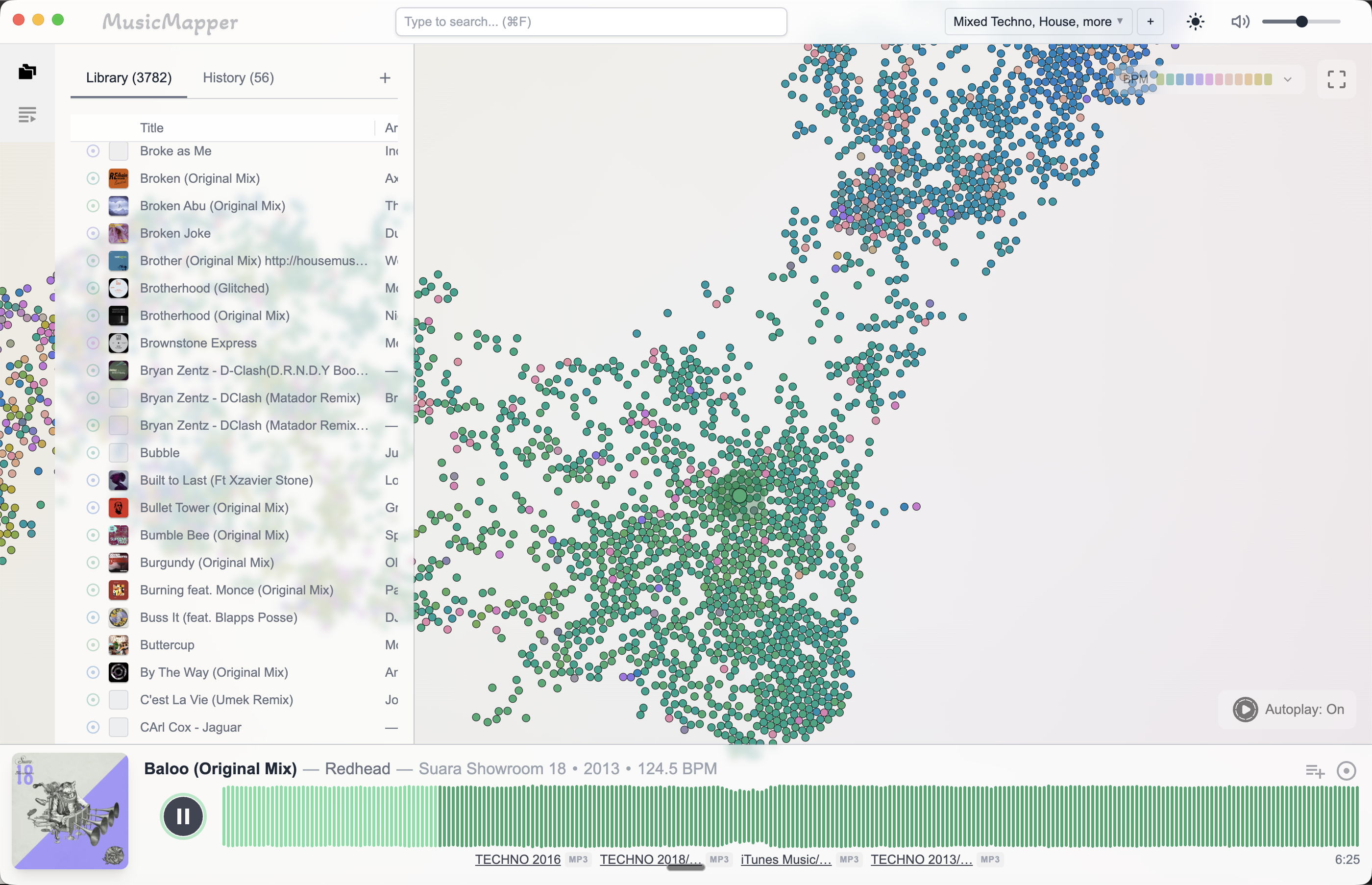
They begin with one strong track, a mood, or a rough window of tempo and energy. That is where MusicMapper fits naturally. Instead of moving through folders and old playlists trying to remember what might work, you can start from one anchor track and explore outward.
Build the shortlist before you think about export
The main benefit is not just speed. It is clarity.
Once you can hear and compare stronger candidates around a reference track, the set stops feeling abstract. You begin to see which tracks belong together, which tracks are close but wrong, and which forgotten songs are suddenly obvious again.
That is the point of the shortlist. It gives Rekordbox something better to work with later.
Then hand the playlist forward
Once the shortlist is strong, the workflow becomes much more familiar:
- Use MusicMapper to explore and select tracks.
- Move that shortlist into Rekordbox.
- Finalize order, exports, and anything tied to the way you actually play.
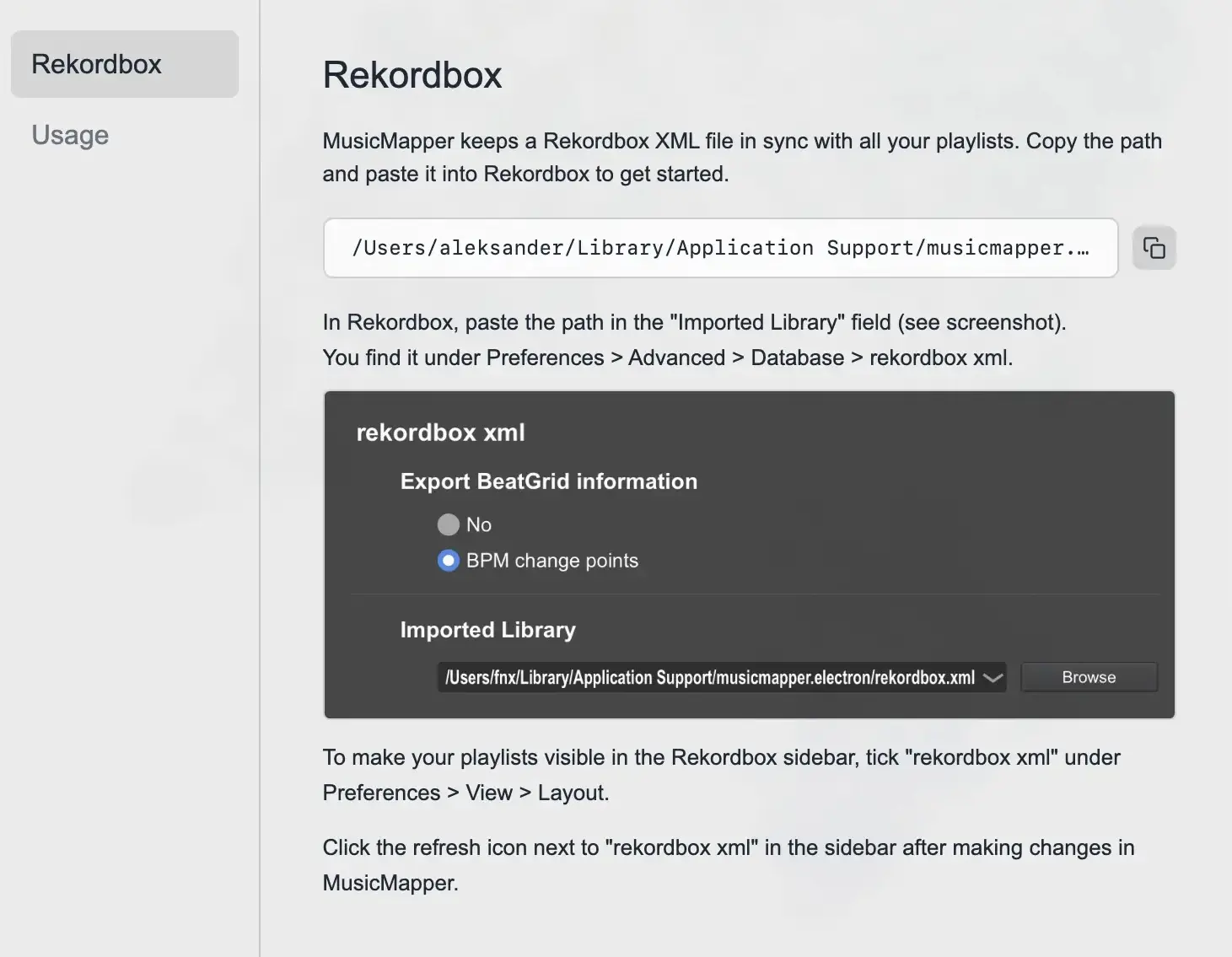
MusicMapper currently supports two practical handoff options:
- Rekordbox XML bridge
- copy-to-folder export with optional M3U playlist
Where this feels better than staying in one tool the whole time
If you stay in Rekordbox from the very beginning, the first part of prep can feel like management. You are already organizing before you have really decided.
If you begin in MusicMapper, the early stage feels more like listening, comparing, and testing the shape of the set. Then Rekordbox takes over when the job becomes organization, export, and execution.
When this workflow makes the most sense
This split is strongest if:
- you already rely on Rekordbox for export or hardware-centered prep
- you have a large local library and want faster discovery inside it
- your hardest problem is choosing the right tracks, not exporting them
Final takeaway
MusicMapper does not need to replace Rekordbox to be useful.
For many DJs, it is better as the discovery-first layer before Rekordbox. That way each tool does the part of the workflow it is actually best at.
If you want the broader comparison, read MusicMapper vs Rekordbox for DJ set preparation. If discovery itself is the bigger problem, How to find matching tracks in a large local DJ library is the better next read.
Explore MusicMapper
See how the workflow looks on your own music library.
MusicMapper helps you explore a local collection as a visual map, preview similar tracks quickly, and build playlists for sharper set preparation.
Frequently asked questions
Do I still need Rekordbox if I use MusicMapper?
If Rekordbox is how you prepare exports, organize the final playlist, or stay inside a Pioneer or AlphaTheta workflow, then usually yes. MusicMapper is strongest earlier, when you are still discovering and selecting tracks.
How do playlists move from MusicMapper into Rekordbox?
MusicMapper currently supports a Rekordbox XML bridge and copy-to-folder export with an optional M3U playlist, so the shortlist can move into the next stage of your usual preparation flow.
Keep Reading
Related articles
Comparison
MusicMapper vs Rekordbox for DJ Set Preparation
Rekordbox and MusicMapper are not really trying to do the same job. Rekordbox is where many DJs finalize playlists, prepare exports, and stay inside a club-ready workflow. MusicMapper is where you find matching tracks faster, shape the idea of the set, and then hand that shortlist into Rekordbox or a USB-ready export flow.
Guide
How to Find Matching Tracks in a Large Local DJ Library
When a DJ library gets large, the problem is rarely a lack of good music. The real problem is surfacing the right tracks fast enough. The easiest fix is to stop treating discovery as a folder problem and start treating it as a listening and relationship problem.
Guide
How to Prepare a DJ Set From Your Local Collection
The easiest way to prepare a stronger DJ set from your local collection is to split the work into two stages. First, discover and shortlist. Then organize and finalize. Most DJs create friction when they try to do both jobs at the same time.