There is a track somewhere in your library that belongs in the set you are building right now. You bought it a couple of years ago. You played it once or twice, then it drifted to the back. You have not thought about it since.
Tonight it would be perfect.
The problem is not that the track is gone. It is that your library has no easy way to surface it when you need it most.
The 80/20 problem in a DJ library
Most DJs rely on a small percentage of their collection for most of their sets.
That is not laziness. It is how libraries behave when they get large. You trust what you know. The familiar tracks get used. Everything else accumulates and waits.
Over time, a library of 5,000 tracks starts to feel like a library of 500 — not because the music disappeared, but because only a familiar slice of it is actually reachable when it counts.
Why better organisation doesn't always fix this
The standard answer is to get more organised.
Build better crates. Tag everything properly. Keep your play counts current. These are all useful. But they solve a different problem than the one described above.
A well-tagged library is easier to search. It is not automatically easier to explore.
There is a difference. Search means you already know what you are looking for. Exploration means you do not — you are trying to find something that fits a feel, not a search term.
When a track has been sitting unplayed for two years, you are not going to type its name into a search box. You probably cannot remember it exists. The only way to surface it is through proximity — finding it because it lives near something you already know.
Treat your own library like a record shop
The idea behind crate digging is simple: start without a specific destination and follow what sounds interesting.
That works in a physical record shop partly because of constraint. You can only hold so many records. You have to commit to listening. The limitation is what makes it productive.
In a digital library, there are no constraints. You can browse forever without committing to anything. That is why digital crate digging requires a bit of structure.
One approach that tends to work:
Start from a single anchor track — something you already trust for the set you have in mind. Then look for what belongs near it. Not by genre label or BPM alone, but by feel. What has similar texture? What shares an energy level without sounding like the same record twice?
Let that expand outward slowly. Do not try to cover the whole library at once. Go a few steps from the anchor, check what you find, add anything strong to a loose shortlist. Then move from a different starting point and repeat.
What you are actually looking for
The goal of a crate dig in your own library is not to confirm what you already know.
It is to stumble into the tracks you forgot existed. The ones that never quite made it onto a permanent playlist. The ones you bought during a different phase and have not touched since — but which suddenly make sense in a set you are building today.
Those tracks exist in most libraries. The question is whether your workflow gives you a realistic chance of finding them before the gig.
Where MusicMapper fits this workflow
MusicMapper is not a crate digging tool in the traditional sense. It does not use AI to guess what you might like, and it does not pull from streaming catalogs.
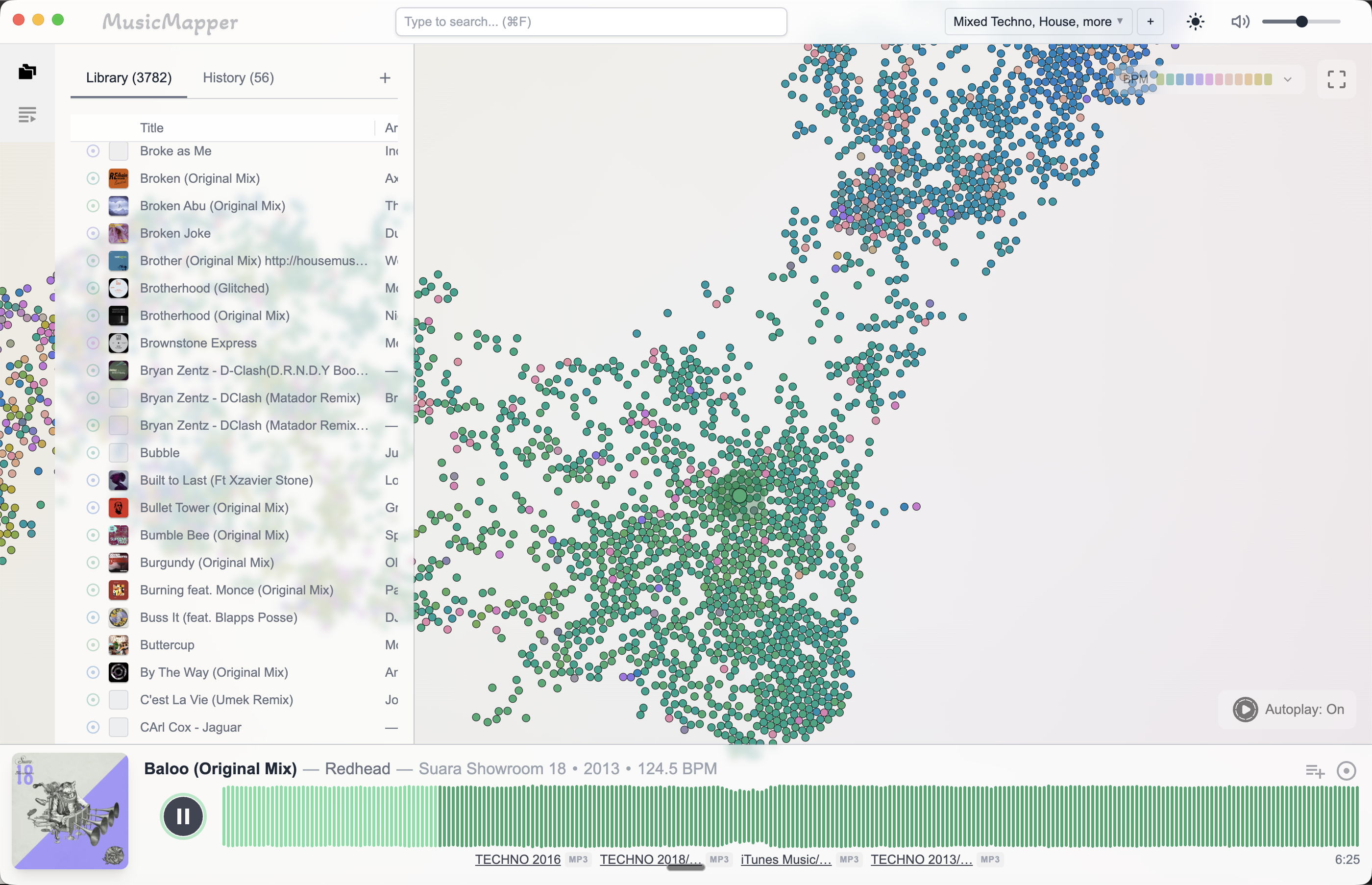
What it does is let you start from a track you know and see what sits nearby in your local collection — by feel and similarity, not by text search or folder navigation.
That makes it useful specifically for this kind of session. You are not looking for something new. You are trying to rediscover something old. The exploration is the point.
If you already use Rekordbox for prep, the workflow stays clean: discover and shortlist in MusicMapper first, then bring the results forward into Rekordbox for final arrangement and export.
Final takeaway
The best music for your next set is probably already in your library.
The problem is not the music. It is that large collections make the less-familiar tracks invisible.
A crate-digging approach — starting from one anchor, exploring outward by feel, building a loose shortlist — tends to surface better options than searching from scratch or defaulting to the same familiar weapons.
For the broader set prep workflow, read How to prepare a DJ set from your local collection. For the matching and comparison side, read How to find matching tracks in a large local DJ library.
Explore MusicMapper
See how the workflow looks on your own music library.
MusicMapper helps you explore a local collection as a visual map, preview similar tracks quickly, and build playlists for sharper set preparation.
Frequently asked questions
Why do DJs leave so many tracks unplayed?
Mostly because large libraries make navigation hard. When you can't quickly surface a track by feel, you default to the ones you already know — and the rest stay buried.
How do I find forgotten tracks in my DJ library?
Start from a track you trust and look for what sits nearby by feel — similar energy, texture, or mood. A discovery-first tool like MusicMapper helps you explore outward from a reference without relying on search terms or folder memory.
Keep Reading
Related articles
Guide
How to Find Matching Tracks in a Large Local DJ Library
When a DJ library gets large, the problem is rarely a lack of good music. The real problem is surfacing the right tracks fast enough. The easiest fix is to stop treating discovery as a folder problem and start treating it as a listening and relationship problem.
Guide
How to Prepare a DJ Set From Your Local Collection
The easiest way to prepare a stronger DJ set from your local collection is to split the work into two stages. First, discover and shortlist. Then organize and finalize. Most DJs create friction when they try to do both jobs at the same time.
Guide
A Large DJ Library Will Slow You Down — Unless You Work With It Differently
A large DJ library works against you when you navigate it with folders, search, and memory — tools that were designed for smaller collections. The same library becomes an advantage when you work from a visual map, where more tracks means more candidates the similarity engine can surface around your reference track.